Why Are My LED Downlights Flickering When Dimmed 7 Tips?

Time:2026-10-24 Author:Aria
0%

If you are asking, “why are my led downlights flickering when dimmed,” the cause is rarely the LED lamp alone. Flicker often begins when a dimmer chops the electrical waveform, while the driver struggles to maintain stable output. In a quiet room, this may appear as a faint shimmer on a white wall, a pulsing shadow, or a camera banding effect. It can also create eye strain, headaches, and visible discomfort for sensitive users.

The National Electrical Manufacturers Association’s NEMA LSD 49, Solid State Lighting Dimming: The Basics, identifies dimmer compatibility as a critical part of LED performance. The U.S. Department of Energy’s solid-state lighting guidance also stresses driver quality, controls, and system compatibility. These points matter because an LED downlight, dimmer, transformer, and wiring circuit operate as one system. A premium downlight can still flicker with an outdated leading-edge dimmer. Sometimes, the wiring is the real problem.

This guide explains seven practical checks, including minimum load, dimmer type, driver compatibility, loose connections, and voltage instability. The CIE Technical Note 006:2016 also shows why flicker should be assessed through objective measures, not eyesight alone. A light may look steady but still produce measurable temporal modulation. That is easy to overlook. I have seen homeowners replace several lamps before checking the dimmer model. That approach wastes money and can hide a safety issue. The most reliable solution combines manufacturer data, careful observation, and testing by a qualified electrician. Not every flicker means danger, but every persistent flicker deserves attention.
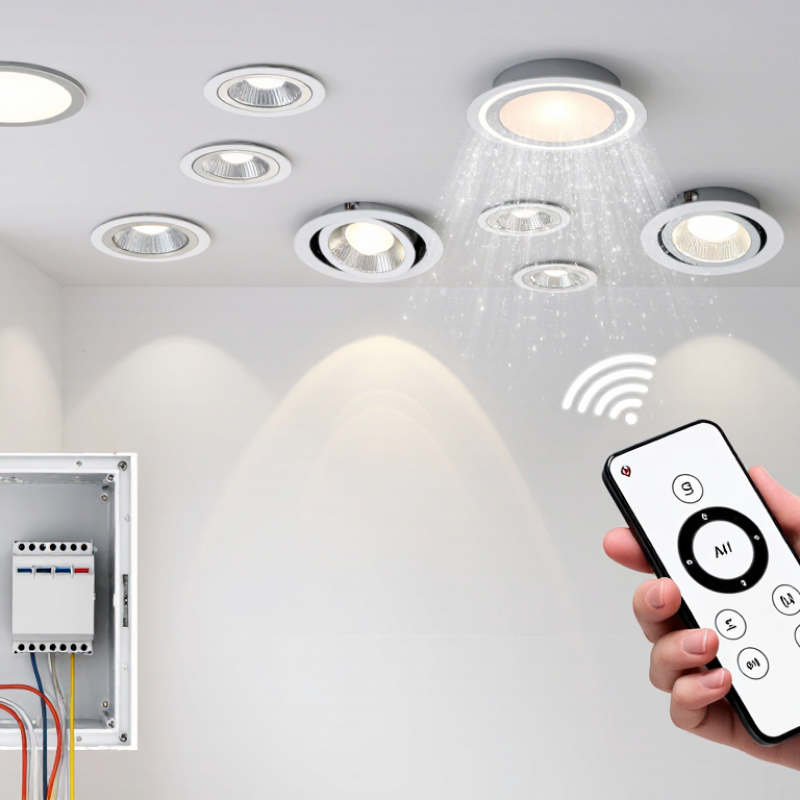
Why Are My LED Downlights Flickering When Dimmed 7 Tips?

What Causes LED Downlights to Flicker When Dimmed?

Why Are My LED Downlights Flickering When Dimmed 7 Tips?

What Causes LED Downlights to Flicker When Dimmed?

LED downlights usually flicker because the dimmer and LED driver are not communicating properly. Traditional dimmers often require more electrical load than LEDs provide. At low settings, the circuit may switch rapidly instead of producing steady light. The result can look like a faint pulse on the ceiling. Try raising the dimmer slightly. Does the flicker disappear?

An incompatible dimmer is a common cause, but it is not the only one. Loose terminals, poor wiring, voltage fluctuations, or an aging LED driver can also create unstable output. Heat matters, too. A downlight trapped beneath insulation may overheat, causing its protection circuit to reduce power repeatedly. I once blamed the dimmer too quickly. The real problem was a loose connection above the ceiling.

Some LED drivers respond differently to leading-edge and trailing-edge control. Minimum-load settings can also affect performance. Check the fitting’s technical instructions and confirm that the dimmer supports dimmable LED loads. Never ignore buzzing, burning smells, or visible heat marks. Turn off the circuit before inspection, and ask a qualified electrician to test wiring, voltage, and connections. A phone camera may reveal flicker that your eyes miss, but it cannot identify the electrical cause. The diagnosis needs evidence.

How to Check LED and Dimmer Compatibility

Why Are My LED Downlights Flickering When Dimmed? 7 Tips

Flicker often begins with a compatibility mismatch, not a faulty downlight. Check whether the LED is specifically marked as dimmable. A dimmable label alone does not guarantee smooth operation with every control type. The driver inside the fitting must communicate correctly with the dimmer’s electronic output.

Check seven points carefully: the dimmer’s minimum load, total connected wattage, leading-edge or trailing-edge operation, neutral-wire requirement, dimming range, driver specifications, and circuit wiring. A 6-watt downlight may draw very little current, causing an older dimmer to pulse. Several fittings can still remain below its minimum load. Test one fitting first, then add the others. The dimmer is not always guilty. Loose connections, shared circuits, or incompatible transformers can create similar symptoms.

IEEE Standard 1789-2015 explains that flicker risk depends on modulation depth and frequency, rather than brightness alone. NEMA LSD 63-2018 also describes temporal light artefacts caused by lighting and control interactions.

These references support checking the complete system, not replacing lamps randomly. The U.S. Department of Energy’s 2019 solid-state lighting forecast estimated 7.8 quadrillion British thermal units of cumulative energy savings through 2035, showing why reliable LED adoption matters.

Yet efficiency does not remove compatibility problems. Record the exact dimmer settings, observe flicker at low and mid-levels, and compare results with the manufacturer’s compatibility table. If symptoms continue, ask a qualified electrician to inspect the circuit. A compatibility table can be incomplete. That deserves honest attention.

How to Inspect the Electrical Load and Wiring

LED downlights often flicker because the dimmer and electrical load are not working together. Inspect the total wattage before replacing parts. Add the wattage of every downlight on one dimming circuit. Many LED drivers draw a small, uneven current, especially at low settings. Too little load can make the dimmer pulse or cut out.

Check the dimmer’s stated LED load range and minimum load requirement. Then inspect the wiring with the circuit switched off and proven dead. Look for loose terminals, damaged insulation, crowded junction boxes, or a shared neutral connection. A slightly loose terminal may feel secure but still create intermittent flicker. Power off first.

A voltage test can reveal unstable supply voltage, but it should be performed by a qualified electrician. Do not rely on the wall switch alone. Older wiring may also contain connections unsuitable for modern LED drivers. In practical inspections, the first fault found is not always the real cause. A dimmer can appear faulty when the problem is a loose connection upstream. Check every joint carefully. Even experienced installers can overlook one.

Why Are My LED Downlights Flickering When Dimmed?

Phase-cut dimming can distort the AC waveform supplied to an LED driver. The model below uses a 230 V RMS, 50 Hz supply, with a peak voltage of approximately 325 V. Increasing the firing angle reduces the conduction time and may increase flicker or driver instability when the dimmer and LED load are incompatible.

When inspecting the circuit, verify the dimmer's LED load range, total connected wattage, neutral and line connections, terminal tightness, and voltage drop under load. Turn off the circuit at the breaker before inspecting wiring, and use a qualified electrician for live electrical testing.

How to Test for Faulty Bulbs, Drivers, and Dimmers

LED downlights often flicker because the bulb, driver, and dimmer are communicating poorly. A dimmable lamp is not automatically compatible with every dimmer. The U.S. Department of Energy reports that LED systems can use at least 75% less energy and last up to 25 times longer than incandescent lighting, but control compatibility still affects performance (DOE Energy Saver, 2024). Flicker is not always visible.

Test the bulb first. Switch off the circuit, allow the fitting to cool, and tighten the lamp gently. Try one known-good, dimmable bulb on the same fitting. If the flicker follows the bulb, replace it. If several lamps flicker together, inspect the driver. Listen for buzzing, check for heat, and look for delayed starting. A driver producing unstable low-voltage output may need replacement. Do not open a sealed driver.

Test the dimmer at minimum, middle, and maximum settings. Flicker only at low brightness often indicates a poor dimming range. Remove the dimmer temporarily, using a qualified electrician, and test the lights at full power. A flicker meter is better than eyesight; IEEE 1789-2015 explains why modulation depth and frequency both matter. CIE 249:2024 also recommends standardized temporal-light-modulation measurements. Record the lamp type, driver rating, dimmer load, and flicker condition. I once blamed the bulbs too quickly; the dimmer was the real fault. Check wiring connections carefully. Stop testing if you smell burning, see sparking, or find discolouration.

Why Are My LED Downlights Flickering When Dimmed? 7 Tips for Testing Faulty Bulbs, Drivers, and Dimmers

Tip Likely Cause What to Check Safe Test or Measurement Typical Result Recommended Action
1 The LED bulb or integrated downlight is not compatible with the dimmer. Check whether the light is marked as dimmable and whether its required dimming method matches the installed control. Switch the dimmer to maximum brightness. If flicker remains, temporarily test one known-compatible dimmable LED light on the same circuit, using a qualified person where wiring is involved. A non-dimmable LED may flicker, shut off, buzz, or have a very narrow dimming range. Use a dimmable LED designed for the circuit voltage and the installed dimming method. Do not mix incompatible lamp types.
2 The dimmer is operating below its stable minimum load or has an unsuitable LED mode. Review the dimmer’s LED load range, minimum load, maximum load, and trailing-edge or leading-edge requirements. Test with an additional compatible load only if the manufacturer permits it. Observe whether flicker changes as the number of connected lights changes. Flicker often appears at low brightness or when only one low-wattage LED is connected. Replace the control with an LED-rated dimmer that covers the actual total wattage and uses the correct dimming technology.
3 A failing LED driver is producing unstable current or voltage. Look for flicker that continues at full brightness, delayed start-up, intermittent shutoff, buzzing, excessive heat, or visible damage. Turn off and isolate the supply before inspecting accessible connections. Driver output should be tested only by a qualified person with a meter and the driver’s rated output specifications. An output that is unstable or outside the driver’s stated voltage or current range can indicate driver failure. Replace the driver with one having the same input type and matching output voltage, current, power, and dimming method.
4 A loose, corroded, or poorly terminated connection is interrupting power. Check for flicker when a switch, ceiling fitting, or cable is gently disturbed. Look for discoloration, heat marks, loose terminals, or damaged insulation. Do not touch live wiring. Isolate the circuit at the correct protective device and have connections inspected and tightened by a qualified electrician. A loose connection may cause intermittent flicker, heat, crackling, or a burning smell. Stop using the circuit if there is heat, arcing, smoke, or a burning odor, and arrange an urgent electrical inspection.
5 The dimmer or switch has an internal fault, wiring error, or incompatible neutral configuration. Determine whether every light on the circuit flickers, whether the problem changes with dimmer position, and whether the control becomes warm or noisy. Compare the behavior with the dimmer bypassed or replaced only by a qualified electrician. Never bypass a dimmer while the circuit is energized. If all connected lights flicker together, the dimmer or upstream supply is more likely than a single faulty bulb. Install a correctly rated dimmer and verify that the wiring arrangement matches its instructions.
6 Incoming voltage variation, a shared load, or an upstream electrical problem is affecting the lights. Note whether flicker occurs when appliances start, at particular times, or across multiple rooms and circuits. A qualified electrician can measure the supply under normal and changing loads and check the protective devices, neutral, and circuit connections. Flicker affecting several independent lights is less likely to be caused by one bulb or one driver. Have the installation and supply investigated. Do not attempt service-panel or utility-side work yourself.
7 The light is experiencing low-level or invisible modulation that can cause visible strobing effects. Check whether the flicker is most noticeable in peripheral vision, on camera, or when moving a hand or fan through the light. Use a slow-motion phone video only as an indication; cameras can exaggerate or conceal flicker. Confirm the cause with compatible equipment or a qualified technician. Some LED drivers show modulation even when brightness appears steady to the eye. Choose a better-quality compatible driver or downlight with low-flicker performance and verify dimmer compatibility.
Safety note: Mains-voltage testing, driver replacement, dimmer replacement, and access to fixed wiring should be carried out by a qualified electrician. Isolate power before inspecting any fitting, and never rely on the wall switch alone.

How to Prevent Flickering During Future LED Installations

LED downlights can flicker when their dimmer and driver do not communicate properly. Preventing this problem starts before the ceiling is cut. Choose dimmable downlights with a compatible dimmer, not simply a cheaper replacement. Their technical sheets should state the dimming method, minimum load, and suitable control range.

Check the circuit carefully. Loose terminals, overloaded wiring, or a missing neutral connection can create unstable voltage. An experienced electrician should test voltage under load and inspect every connection. Do not rely on a quick visual check. It can miss the real fault. Also, avoid mixing different downlight types on one dimming circuit unless their instructions confirm compatibility.

Test one fitting before installing the entire batch. Dim it slowly from full brightness to the lowest setting. Watch for pulsing, buzzing, delayed starting, or uneven brightness. Test again after the circuit warms up. Temperature can expose problems that appear during a short test. Keep driver connections dry, accessible, and properly supported above the ceiling.

Record the installed dimmer, driver, load, and wiring arrangement. This makes future repairs less uncertain. I have seen installations pass an initial check, then flicker after another light was added. That detail is easy to overlook. Leave enough capacity for expected changes, and ask a qualified professional to verify the final installation. Perfect planning is rare, but careful testing prevents many avoidable call-backs.

FAQS

Why do LED downlights flicker when dimmed?

Flickering often comes from an incompatible dimmer and LED driver. The downlight may not be faulty.

How can I check whether an LED downlight is dimmable?

Look for a clear dimmable marking and read the technical sheet. The marking alone is not enough. Check the recommended dimming method and control range.

What dimmer details should I check?

Check the minimum load, total wattage, dimming type, and neutral-wire requirement. Also confirm the available dimming range. A 6-watt fitting may provide too little load for an older dimmer.

Should I test one downlight before installing several?

Yes. Connect one fitting and dim it slowly from full brightness. Watch for pulsing, buzzing, delayed starting, or uneven light. Then add the remaining fittings.

Can wiring problems cause LED flicker?

Yes. Loose terminals, shared circuits, unstable voltage, or missing neutral connections can cause flicker. An electrician should test voltage under load. A quick visual check can miss the fault.

Why does flicker sometimes appear after adding another light?

The total load may still fall outside the dimmer’s working range. Different driver types may also interact poorly. That detail is easy to overlook.

How can I prevent flicker during a new installation?

Match the dimmer, driver, and downlights before cutting the ceiling. Avoid mixing different fitting types on one circuit. Keep driver connections dry, supported, and accessible.

Can temperature reveal a hidden compatibility problem?

Yes. Test the lights again after the circuit operates for a while. Heat can expose flicker that disappears during a short test. Initial testing is useful, but imperfect.

What information should I record for future repairs?

Record the dimmer, driver, total load, wiring arrangement, and tested settings. Note flicker at low and medium brightness. Clear records reduce guesswork later.

When should I ask a qualified electrician for help?

Ask for help when flicker continues after compatibility checks. Professional inspection is important for unstable voltage or circuit wiring concerns. Do not keep replacing fittings randomly.

Conclusion

If you are wondering, “why are my led downlights flickering when dimmed,” the problem is usually related to compatibility, electrical load, or a faulty component. Some LED downlights and dimmer switches are not designed to work together, while an unsuitable minimum load can cause unstable brightness. Loose wiring, poor connections, voltage fluctuations, or an overloaded circuit may also create flickering. To identify the cause, check whether the LED is dimmable and confirm that the dimmer supports its operating range. Inspect the wiring carefully and make sure all connections are secure and correctly installed.

You should also test the downlights individually to determine whether one bulb, driver, or the dimmer itself is defective. Replacing a suspected faulty part with a suitable, reliable component can help confirm the source of the issue. For future installations, choose compatible dimmable LEDs and dimmers, calculate the total electrical load, avoid exceeding circuit limits, and have wiring inspected by a qualified professional. These steps can improve performance, reduce flickering, and support safer, more consistent lighting.

Aria

Aria

Aria is a dedicated marketing professional with a deep passion for innovative strategies and a keen understanding of our company's product offerings. With a wealth of experience in the industry, Aria excels at crafting engaging content that highlights the unique features and benefits of our......